The Best Wedding Planner Books and Tools for 2026 (Plus the One Spreadsheet That Beats the Apps)
Quick answer: The best wedding planner book for 2026 is The Knot Ultimate Wedding Planner & Organizer. The toolkit that reliably produces an organized wedding pairs that book (the on-paper day-of reference and vendor questions) with a shared Google Sheet for budget, vendor, and guest-list tracking, and one website tool (Zola or Joy) for the registry and RSVPs. Use email, not in-app messengers, to talk to vendors. The all-in-one apps overpromise.
The Knot Ultimate Wedding Planner book is the bestselling wedding-planning tool on Amazon as I write this, and the search volume for it is up roughly 1,275 percent year over year. Couples are buying physical planning books in 2026 in numbers nobody predicted. The reason, when I have asked couples directly, is that the apps got worse and the books got better.
I have worked as a vendor at over a hundred weddings over the past decade (florals primarily, branching into general wedding-vendor coverage as I expanded). I have watched couples plan with everything from elaborate Notion dashboards to napkin sketches at a kitchen table. The tools that consistently produce well-organized, low-stress weddings are not the tools that get the most marketing.
This article is the comparison of the actual planning tools that work in 2026: physical planner books, the major apps, and the spreadsheet that quietly beats most of them.
Here is the whole toolkit at a glance before I get into why each one earns its place.
| Tool | Price | Key features | Best for |
|---|---|---|---|
| The Knot Ultimate Wedding Planner (book) | Around $20 | Budget worksheets, vendor checklists, day-of timeline templates, inspiration pages | On-paper day-of reference and vendor questions |
| Custom Google Sheet | Free | Searchable, sortable, shareable between partners, auto-backed-up, scales to any guest count | Budget, vendor, and guest-list tracking |
| The Knot (app) | Free, optional paid | Largest vendor directory, functional budget tool, registry integration | Vendor discovery |
| Zola | Free, paid invites and site | Integrated website, registry, and guest list in one place; cleanest website builder | Registry and wedding website |
| Joy | Free | Best-in-class RSVP and guest communication, modern design templates | Guest experience and RSVP collection |
| Notion templates | Free to roughly $50 | Fully customizable database, links every category together | Spreadsheet-comfortable couples who want a custom system |
Source note: tool prices verified June 2026. The Knot Ultimate Wedding Planner & Organizer (Revised binder, ISBN 9780593139639) is listed around $20 on Amazon; The Knot, Zola, and Joy planning apps are free with optional paid upgrades for invitations, websites, and seating tools.
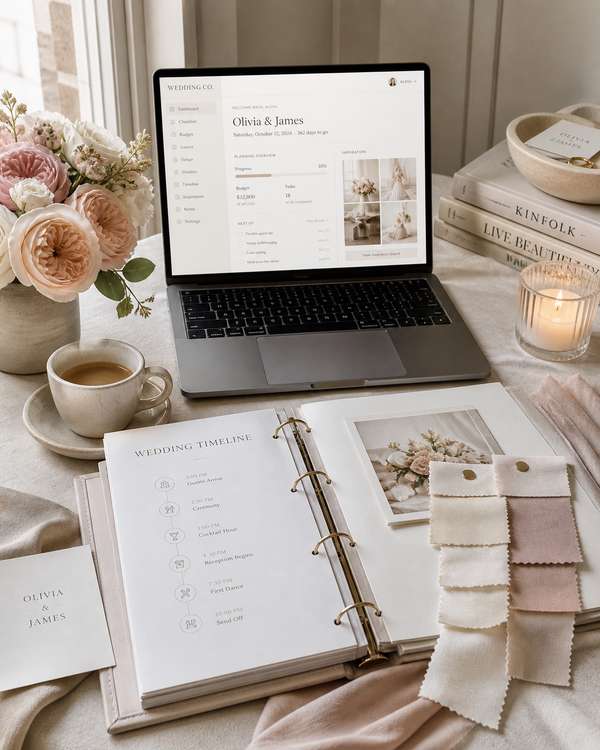
What a wedding-planning tool actually has to do
Before the comparisons, the structural piece. Wedding planning has six tracking categories that every tool needs to handle.
Budget tracking. Total budget, allocations by category, actuals vs estimates, deposits paid vs balances owed. The most important single category, because budget overruns are the highest-frequency planning failure.
Vendor management. Name, contact information, contract status, deposit status, services contracted, terms. Across 8-15 vendors for a typical mid-sized wedding.
Guest list management. Names, addresses, RSVPs, dietary restrictions, plus-ones, table assignments, accommodation needs. For a 100-150 person wedding, this is a database problem, not a list.
Timeline. What needs to happen when, in the months and weeks leading up to the wedding day, and the day-of timeline (which is its own document).
Inspiration and decision capture. Pinterest boards, fabric swatches, color palettes, the ten dress photos you cannot decide between.
Communication tracking. Emails with vendors, vendor questions, decisions you have made and where you saved them.
A good planning tool handles four or more of these. A great planning tool handles all six and links them together. Most of the popular apps handle two or three of these well and the rest poorly.
The physical planner books
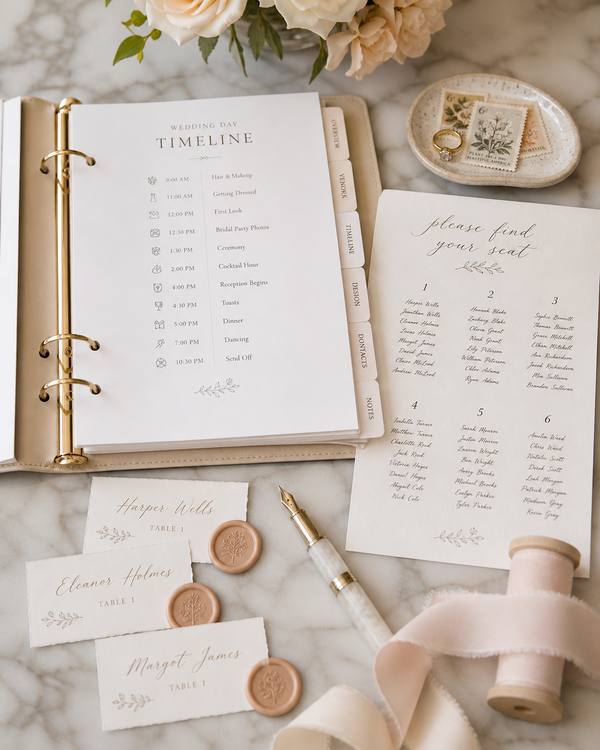
The Knot Ultimate Wedding Planner & Organizer is the bestseller. Spiral-bound, roughly 350 pages, structured by month-out timeline. Includes budget worksheets, vendor checklists, guest-list pages, day-of timeline templates, and inspiration sections.
What it does well:
- Budget worksheet is genuinely useful, with category-by-category line items
- Vendor checklist has the specific questions to ask each type of vendor
- Day-of timeline template is comprehensive
- The physical format prevents app-fatigue; you read it on the couch, not on your phone
What it does poorly:
- Static. Once you write something in, changing it means crossing out and rewriting
- Single-user. Hard to share with a partner who wants to see updates
- Guest list management at scale is limited (you can list maybe 100 names cleanly, beyond that the format breaks down)
- Does not communicate with vendors. Email is still email.
→ The Knot Ultimate Wedding Planner & Organizer on Amazon. The Revised and Updated binder edition (ISBN 9780593139639). Around $20.
Other physical planners: A Practical Wedding Planner, The Wedding Book by Mindy Weiss, the various smaller-name planner journals. The Knot's planner has the most complete coverage. The others have specific strengths (A Practical Wedding has more anti-stress framing; Mindy Weiss has more luxury-tier guidance). For most couples, The Knot's is the right starting point.
The argument for physical: it lives on your kitchen counter, you write in it every day for a year, the act of writing helps you think. The argument against: it cannot be searched, sorted, or backed up in any meaningful way.
The apps
The Knot app is the digital companion to the planner book and the most-downloaded wedding planning app. Free with optional paid features. Includes vendor search, budget tracking, guest list management, and registry integration.
Strengths: vendor directory is comprehensive, registry integration is clean, the budget tool is functional. Weaknesses: app polish has degraded over time, the in-app vendor messaging often does not get responses (vendors prefer email), the guest list management hits walls at scale.
Zola is the all-in-one wedding services platform: planning, registry, website, invitations. The integrated experience is the strongest argument. Free with paid services for invitations and website hosting.
Strengths: integration across categories is genuinely useful (your guest list connects to your invitations, your registry shares state with your website), the website builder is the cleanest in the category. Weaknesses: the budget tracker is light, the vendor management is limited.
Joy is the newer competitor, focused on the wedding website and guest experience. Free.
Strengths: the website tool is excellent, the RSVP and guest-communication features are best-in-class, the design templates are more modern than competitors. Weaknesses: less comprehensive on budget and vendor management.
WeddingWire (now part of The Knot's parent company) overlaps significantly with The Knot. If you are using The Knot, you do not also need WeddingWire.
Notion-based wedding-planning templates have become popular among technically-inclined couples. Several free and paid templates exist. Customizable to whatever your specific needs are. The price is the upfront learning curve and the time investment in building the system out.
For most couples: The Knot for vendor search, Zola for registry and website, Joy for the website if you want a more polished design. The triangulation is fine. The "all-in-one" promise of any single app is overstated.
The spreadsheet that beats most apps
After watching enough couples plan, I have come to believe that a custom spreadsheet beats most apps for the budget, vendor, and guest-list categories specifically. The argument:
A spreadsheet is searchable, sortable, shareable, and backed up automatically (Google Sheets, iCloud, Dropbox). It scales to any guest count. It handles any budget structure. It can be customized to your specific situation rather than fitted to an app's predetermined categories. Two partners can edit it simultaneously.
The spreadsheet a typical wedding needs has four tabs:
Tab one: budget. Categories down the left, columns for "estimated," "actual," "deposit paid," "balance due," "vendor name," "due date." Sum at the bottom. Conditional formatting that highlights overruns in red. Total cost = $0 (Google Sheets is free). For the category percentages to start the estimates from, see my wedding budget allocation breakdown.
Tab two: vendor list. Name, type of service, contact info, contract status, deposit paid, balance due, services contracted, key dates (final headcount, final menu, etc.). Each vendor is one row. 8-15 rows total.
Tab three: guest list. Name, address (for invitations), RSVP status, plus-one, dietary restrictions, table assignment, accommodations status. Each guest is one row. 100-200 rows. Sortable by table, by RSVP status, by dietary needs for catering.
Tab four: timeline. Each task as a row. Due date, owner (you or partner), status. Sort by due date.
The setup time is 2-3 hours of initial work. After that, the spreadsheet is the single source of truth for the wedding. It is updated daily for the first six months and weekly for the last three.
For couples who are spreadsheet-comfortable, this beats every dedicated app on the market. For couples who are not, the apps are the right starting point.
The vendor-question approach the apps cannot help with
The single highest-value piece of wedding-planning labor is the work of asking the right questions when interviewing vendors. The Knot's planner book has good vendor checklists. The apps generally do not. The spreadsheet does not have them automatically. They live in your head or in your Google Doc notes.
I covered the red-flag questions for vendor interviews in my vendor red-flags piece. The summary: ask about their busy season, ask for two references for events similar to yours, ask what their refund policy is for cancellations, ask whether the price includes setup and breakdown, ask whether they have backup plans for weather or vendor failures. These are the questions that distinguish the well-organized vendors from the ones who will create problems on the day.
A good planning tool surfaces these questions. The Knot's book does. The apps mostly do not. Whatever tool you use, supplement it with a list of vendor questions you have written yourself. Before you sign anything, the FTC's guidance on contracts and deposits is a useful reference for what to confirm in writing about cancellations and refunds.

The recommendation matrix
For most couples, the right combination is:
- The Knot Ultimate Wedding Planner book for the on-paper, day-by-day reference and the vendor questions ($20)
- A custom Google Sheets spreadsheet for budget, vendor list, and guest list management (free)
- Zola or Joy for the wedding website, registry, and RSVP collection (free, with paid invitations)
- Email for vendor communication (do not use the in-app messengers)
Total cost for the planning toolkit: $20 in materials, plus invitation/website costs once you reach that stage. Most of the planning labor is free, paid for in time.
For couples who want the all-in-one experience with less friction: Zola for everything except budget and vendor management, plus the planner book for on-paper reference.
For couples who hate apps: just the planner book and a paper notebook. This works fine for smaller weddings (under 80 guests) but breaks down at scale.
For couples who love apps: triangulate The Knot, Zola, and Joy. Each does one thing better than the others.
→ Get The Knot Ultimate Wedding Planner on Amazon. The Revised and Updated binder edition. Around $20, ships in 2-3 days.
The honest summary
Wedding planning is a logistics problem first, a creative problem second, and a stress-management problem third. The tools that handle the logistics well make the creative work and stress management easier. The tools that focus on the creative work without solving logistics first make the stress worse.
Get the planner book. Set up the spreadsheet. Pick one website tool. Email your vendors. Ask the right questions when you interview them. The wedding gets planned.
The 1,275% year-over-year search increase on The Knot's planner book is, I think, the right signal. After several years of overpromising apps, couples are returning to the tools that actually work for the labor of planning. The book is the most-bought one for a reason.
Frequently Asked Questions
Is The Knot Ultimate Wedding Planner book worth buying?
For most couples, yes. The budget worksheets, vendor checklists, and day-of timeline templates are genuinely useful, and the physical format keeps planning off your phone. Its weaknesses are that it is static and single-user, so pair it with a shared spreadsheet for anything that changes often, like the guest list.
Do I need a wedding planning app if I have the book?
Not for everything. The book handles on-paper reference and vendor questions, and a free shared spreadsheet handles budget, vendor, and guest tracking better than most apps. The one app most couples still want is a website tool such as Zola or Joy for the registry and RSVP collection.
What is the best free wedding planning tool?
A custom Google Sheet. It is searchable, sortable, shareable between partners, automatically backed up, and scales to any guest count. Set up four tabs (budget, vendor list, guest list, timeline) and it becomes the single source of truth for the whole wedding at zero cost.
Should I message vendors through a planning app?
No. In-app vendor messengers often go unanswered because most vendors prefer email. Use email for all vendor communication and keep the app for search, budget, and registry features. Save important vendor decisions and quotes where you can search them later.
How far ahead should I start using a planning tool?
As soon as you set a date and budget. Couples typically update the spreadsheet daily for the first six months and weekly for the final three. Starting early spreads the logistics work out and prevents the last-minute crunch that causes most planning stress.
Have a wedding-planning tool question or a specific scenario you want me to look at? Send it to stories@weddingvendors.store.